| Rating: | 3.8 (12 votes) |
| Played: | 2744 times |
| Classification: | Simulation Games |
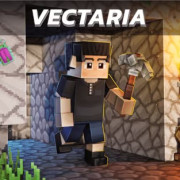
Noob Parkour 3D is a Minecraft-inspired obstacle course game to test first-person jumping skills, use strategic block-building to bridge impossible gaps, and find your way to the portal!
Noob Parkour 3D is a thrilling first-person platformer that captures the iconic aesthetic of Minecraft. Unlike standard parkour games, this experience challenges you to not only jump across precarious ledges but also to use your environment creatively. You must calculate every leap, manage your resources, and navigate through trap-filled territories to reach the final Exit Portal.
To play Noob Parkour 3D, navigate the world from a first-person perspective using your keyboard and mouse. Use your movement keys to approach ledges and the jump key to clear gaps. Utilize your mouse to place blocks when the terrain is too difficult to cross on foot; aim to reach the portal as quickly and safely as possible.
Controls
Move: WASD or Arrow keys
Jump: Space key (Space)
Object interaction: Left mouse (to place blocks or activate objects)
Rotate Camera: Move the mouse to look around
Start your journey in Noob Parkour 3D now!
WASD or Arrow keys For Movement Space for Jump Left click for Interact
Simulation Games